Convert a video without uploading it anywhere
Drop a file in and it is converted right here, in this tab, by FFmpeg compiled to WebAssembly. No account, no queue, no watermark, and no 100 MB ceiling. Where your video is already in the right codec - MOV to MP4 usually is - it is repackaged in seconds without re-encoding a single frame.
Convert a video
MP4, MOV, MKV, AVI, WebM and 3GP - converted in this tab.
Loading the converter...
Popular conversions
Each of these opens the same converter with the right output already selected.
MOV to MP4
Convert MOV to MP4 free in your browser.
Open the converter →MKV to MP4
Convert MKV to MP4 free in your browser, with no upload and no daily limit.
Open the converter →AVI to MP4
Convert AVI to MP4 free in your browser with real quality control.
Open the converter →WebM to MP4
Convert WebM to MP4 free in your browser.
Open the converter →MP4 to MOV
Convert MP4 to MOV free in your browser for QuickTime, iMovie and Final Cut.
Open the converter →HEVC to H.264
Convert HEVC (H.265) video to H.264 MP4 free in your browser, nothing uploaded.
Open the converter →TS & MTS to MP4
Convert TS, MTS and M2TS to MP4 free in your browser.
Open the converter →How it works
Three steps, no account, and no waiting for an upload bar to fill.
Choose your video
Drop in an MP4, MOV, MKV, AVI, WebM, WMV, FLV, 3GP, MPEG or TS file. It is read straight off your disk into this tab - there is no server in this picture at all.
Pick the format and quality
The page reads your file's real codec, resolution and frame rate first, then tells you exactly what it is about to do: copy the streams untouched, or re-encode, and roughly how big and how long that will be.
Download the result
The converted file is handed straight back to you as a download. Your original is untouched, nothing was stored, and there is no watermark on anything.
Why this converter is different
Most "free online video converters" upload your file to a server, queue it behind everyone else's, cap it at 100 MB, and stamp the result.
Your video stays on your device
The converter is FFmpeg compiled to WebAssembly, running as code in this tab. The first conversion downloads that engine once; after that you can turn off your Wi-Fi and it still converts - that is the test, and it passes.
It skips the re-encode when it can
MOV to MP4 is usually the same H.264 video in a different box. Where that is true this copies the streams instead of re-encoding them: seconds instead of minutes, and pixel-for-pixel identical.
It tells you what is inside
Codec, profile, resolution, frame rate, bitrate, audio track, subtitle tracks. The app shows you a file name and a size; this shows you the reason your file will not play.
No limits, no watermark
Any number of files, any length your device can hold in memory, no sign-up, no e-mail, and nothing stamped across the picture.
More formats than the app
WebM in and out, H.265, resolution and frame-rate control, and audio you can keep, re-encode or strip - none of which the phone app can do today.
The same three quality steps as the app
Low, Medium and High mean the same thing here as on your phone. By default the browser uses constant quality, which gives a smaller file at the same picture; Advanced options can switch to the app's exact 1, 2.5 and 5 Mb/s ladder if you want the two to match byte for byte.
Which conversions are lossless?
A container change is not the same thing as a re-encode. Where the codec inside your file is already legal in the format you want, nothing needs to be re-compressed - so nothing is lost, and it takes seconds.
| Your file | MP4 | MOV | MKV | WebM | AVI | 3GP |
|---|---|---|---|---|---|---|
| H.264 + AAC (most phone video) | Copy | Copy | Copy | Re-encode | Re-encode | Re-encode |
| H.265 / HEVC (iPhone "High Efficiency") | Copy | Copy | Copy | Re-encode | Re-encode | Re-encode |
| VP9 + Opus (WebM downloads) | Re-encode | Re-encode | Copy | Copy | Re-encode | Re-encode |
| MPEG-4 Part 2 + MP3 (old AVI files) | Copy | Copy | Copy | Re-encode | Copy | Re-encode |
| WMV + WMA (Windows Media) | Re-encode | Re-encode | Copy | Re-encode | Re-encode | Re-encode |
"Copy" means the picture and sound are written into the new container untouched. "Copy video" means the picture is untouched and only the audio is re-encoded. "Re-encode" means the video is compressed again - unavoidable when the target format cannot legally hold your codec.
The app it came from
Video Converter on iPhone and Android converts with the device’s own hardware encoder, keeps a history of everything you have converted, and works with no browser tab open.
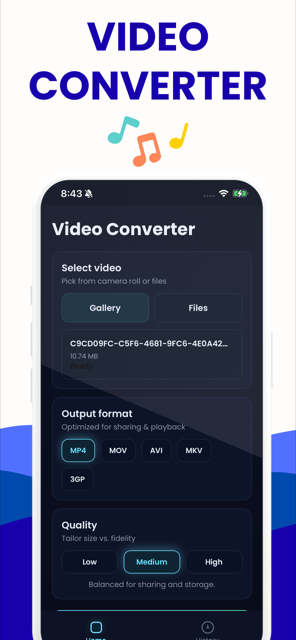
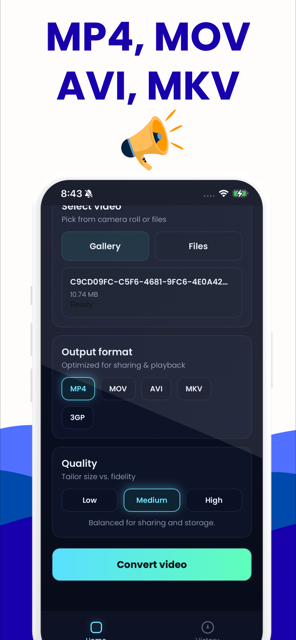
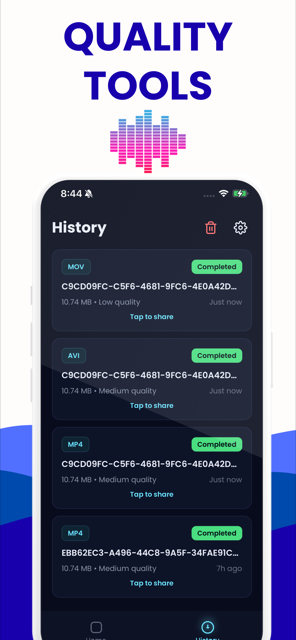
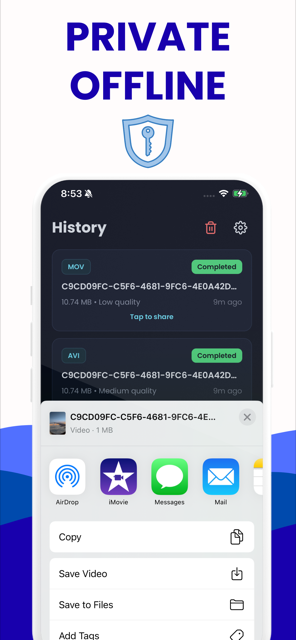

Free on iPhone and Android · No ads · Nothing is uploaded
Guides
Every one of these started as a real search. Each answers the question first, then shows the fastest way to fix it.
Why your MOV file won't play on Windows (and how to fix it)
They double-clicked a .mov — usually one someone AirDropped or emailed them from an iPhone — and got a black screen, an error, or audio with no picture. Every page they have opened tells them to install VLC or buy a codec, and they do not want to install anything on this machine.
Read the guide →Why iPhone videos won't play on Android phones
Someone sent them a video from an iPhone and their Android gallery shows a grey thumbnail or an error. Half the pages they find blame resolution or frame rate, which is wrong and wastes their time.
Read the guide →HEVC video won't play on Windows 11: the permanent fix
They have H.265 footage from a phone, drone or action camera, and Windows either refuses it or plays audio over a black screen. The results all push Microsoft's paid HEVC Video Extensions or a codec pack, which fixes one PC and nothing else.
Read the guide →Video plays but there's no sound: fixing an unsupported audio codec
The picture is fine, the sound is silent, and every result tells them to install AC3Filter, a codec pack, or VLC. Nobody offers a fix for the file itself, so the problem follows the file to the next device.
Read the guide →DaVinci Resolve imports MP4 as audio only: why, and the fix
The clip drops into the media pool as a waveform with no picture. Forum threads take twenty replies to establish what is actually inside the file, and the answers end at 'install HandBrake' or 'buy Resolve Studio'.
Read the guide →Premiere Pro won't import MKV — remux it, don't re-encode it
An editor has OBS or downloaded footage in MKV and Premiere refuses it. The consensus advice is to run it through HandBrake, which re-encodes and costs a generation of quality before the edit even starts, or to rename the extension, which is actively dangerous.
Read the guide →CapCut says 'file not supported': what's actually wrong
They are mid-edit on a phone with an error message in hand. CapCut's own help page admits the trap but does not solve it, and the rest of the SERP is scraped listicles.
Read the guide →How to convert MOV to MP4 on Windows 11 without installing software
They are stuck right now with a MOV on a Windows 11 PC, and the entire page-one answer set is 'download this .exe' — VLC, HandBrake, WonderFox, VideoProc. Several of them cannot install software on that machine at all.
Read the guide →How to convert MOV to MP4 on an iPhone without a computer
They have explicitly ruled out a desktop. Blog results push whichever app pays, App Store listings are injected straight into the SERP, and nobody tells them the useful fact that the conversion they need is usually only a container swap.
Read the guide →Questions people actually ask
Short answers here, the full story in the guides.
Does converting MOV to MP4 lose quality?
Only if the file is re-encoded. An iPhone MOV usually already contains H.264 or HEVC video with AAC audio, and MP4 can carry those exact streams, so a remux copies the same bytes into a new container with zero quality loss. ProRes is the exception — that has to be re-encoded.
Is this video converter really free, with no watermark or sign-up?
Yes. It runs entirely in your browser on FFmpeg compiled to WebAssembly, so there is no server, no account and no export tier. Nothing is metered because no file costs us anything: no watermark, no daily conversion count, no email wall before the download, and no file size gate short of the 2 GB your browser's memory allows.
Are my videos uploaded to a server?
No. The page reads your file locally and your own CPU does the work. The only network request is the one-time download of the FFmpeg WebAssembly core, which happens the first time you convert. After that you can open your browser's network panel, or switch off Wi-Fi entirely, and the conversion still finishes.
What is the largest video I can convert in the browser?
Around 1GB is the realistic ceiling. WebAssembly is bounded near 2GB of memory and a conversion needs roughly two to three times the file size in RAM, so bigger movies are unreliable in a tab. A remux is far lighter than a re-encode, and long 4K footage belongs in the app, which uses hardware encoding.
Is CloudConvert safe to use?
CloudConvert is a legitimate service that sandboxes conversions and deletes files on a published schedule. The issue is not trust but exposure: your video still leaves your computer, crosses the internet and sits on someone else's disk for a while, and the free tier is capped by size and conversions per day.
Why does my video have no sound after converting?
Usually an AC-3 track was copied straight into the MP4. MP4 accepts AC-3, so it goes through untouched, and most players cannot decode it. The other common cause is a second audio track being dropped. The fix is to set Audio to Re-encode, which writes AAC while still copying the picture bit-for-bit.
Why does my video upload to Discord as a file instead of playing?
Discord only previews MP4 and WebM containing H.264 or VP9 video with AAC audio. A MOV, an MKV, or anything in HEVC attaches as a dead file. Converting — usually a seconds-long remux to MP4 — makes it play inline. Being over the upload cap is a separate failure with a different fix.
Can I convert a video on a Chromebook without installing anything?
Yes. Chrome on ChromeOS is one of the best environments for a browser-based converter, so MP4, MKV, MOV, AVI and WebM all convert in the tab with no extension, no Linux container and no Play Store app — which matters on a school-managed or work-managed device where installs are blocked.
How do I convert MOV to MP4 on an iPhone without a computer?
Use an on-device app. Mobile Safari cannot reliably run a browser converter on anything but small clips, because iOS restricts the memory and worker threading a WebAssembly build needs. Our iOS app converts straight from the camera roll on-device, with nothing uploaded and hardware encoding for long clips.
What is the difference between MOV and MP4?
They are containers, not codecs, and both usually hold H.264 or HEVC video with AAC audio. MOV is Apple's QuickTime container; MP4 is the near-identical ISO standard. That is why the same footage plays everywhere as MP4 but stalls on Windows or Android as MOV — and why the swap is often lossless.
Can I convert MKV to MP4 without re-encoding?
Yes, when the streams inside are already MP4-legal: H.264, HEVC or AV1 video with AAC or AC3 audio. That is a remux — the same compressed bytes rewrapped into an MP4 container in seconds with no generation loss. Subtitles and extra audio tracks may not survive the move.
Why won't Premiere Pro import my MKV file?
Adobe removed MKV support after Premiere CC 2019 and never restored it, so the container is refused regardless of what is inside. Remuxing to MP4 fixes it without re-encoding, which matters before an edit. Renaming the file extension does not work — the containers are genuinely different.
How do I check what codec my video actually uses?
Drop the file on our codec checker and it reads the header locally, showing video codec, profile, bit depth, resolution, frame rate and audio codec. That single answer is what most playback failures hinge on, and it tells you whether you need a fast remux or a full re-encode.
Does the iPhone have a built-in video converter?
Not really. iOS ships no converter: the closest built-in options are exporting from iMovie, which re-encodes and can shrink quality, or renaming a file in the Files app, which changes the label and nothing else. Converting properly on the phone needs an on-device app.